
Bestfulfill Logo
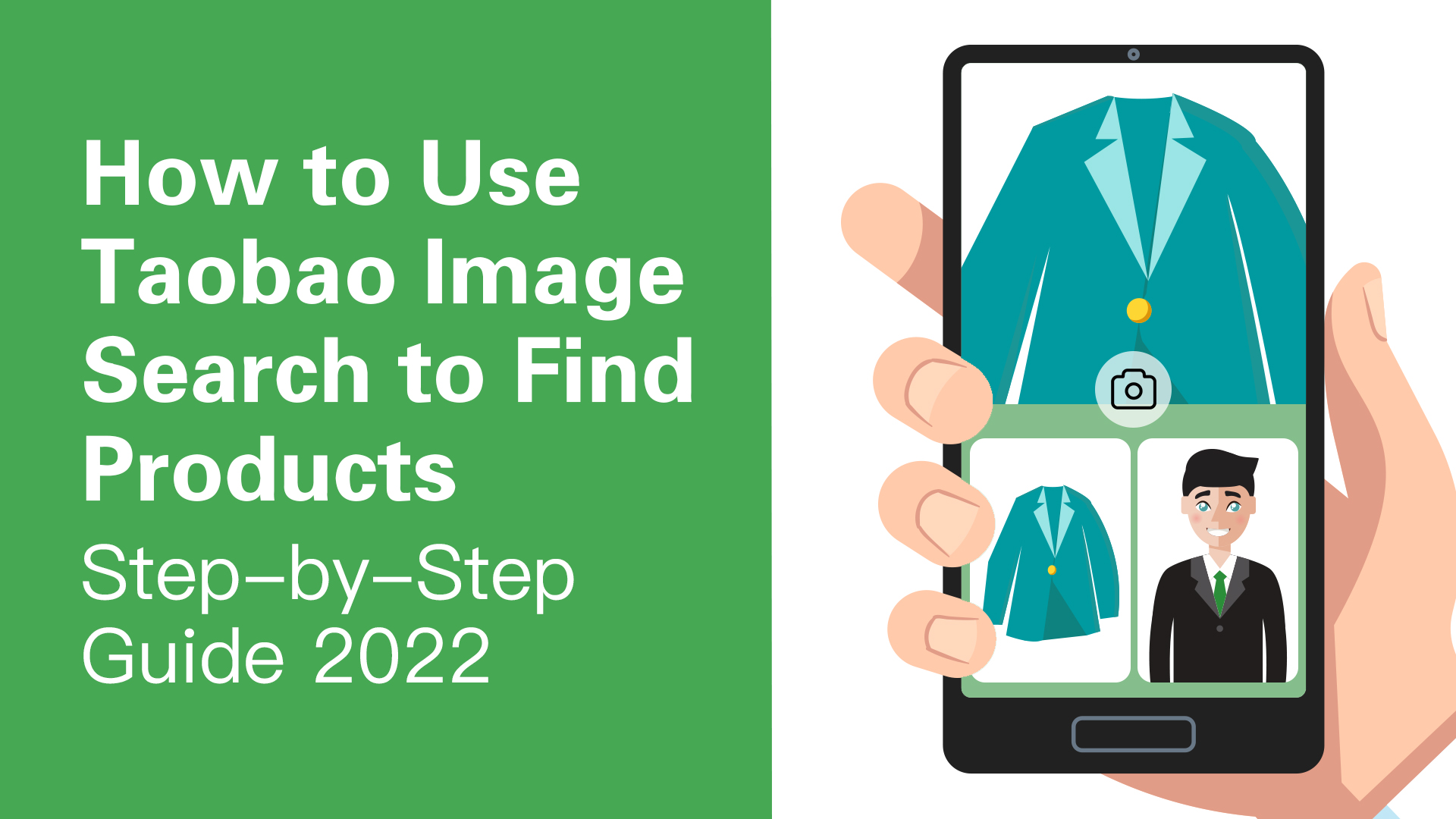
How to Use Taobao Image Search to Find Products - Step-by-Step Guide 2022
Popular

How to Use Taobao Image Search to Find Products - Step-by-Step Guide 2022

3 min read

Article Summary

Taobao has a unique algorithm that makes it possible for shoppers to find products using images instead of just keywords.

The algorithm identifies the images you upload based on their shape, colors, and dimensions. It then compares them to the images in the Taobao database and provides you with search results of all the products that match the image you uploaded.

This unique search method makes it easy to find products. More so if you are not sure what keywords you can use to find them.

In this guide, we share how to run an image search on Taobao using a mobile device whenever you need to.

Let's begin, shall we?

CHAPTER 01

Using Taobao Image Search on Mobile Devices

Step 1: Download and Install the Taobao App
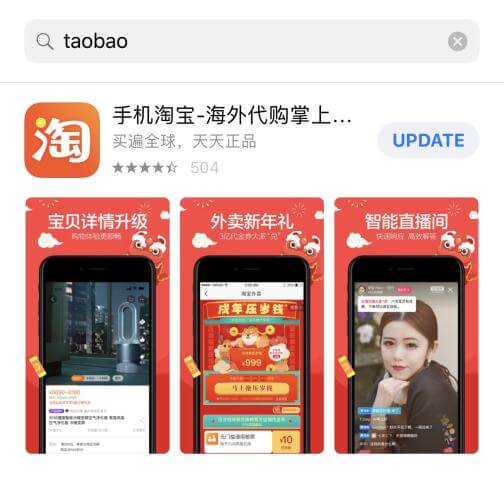
TaoBao-image-search-First-Step

Begin by installing the Taobao App on your mobile device. It is available on both Google Playstore and the Apple Store for Android and IOS users respectively. 

Step 2: Tap on Camera Icon on Homepage

Once the Taobao App is installed, go to the homepage. You will notice that there is a search bar at the top. Click on the camera icon at the right end of the bar. 
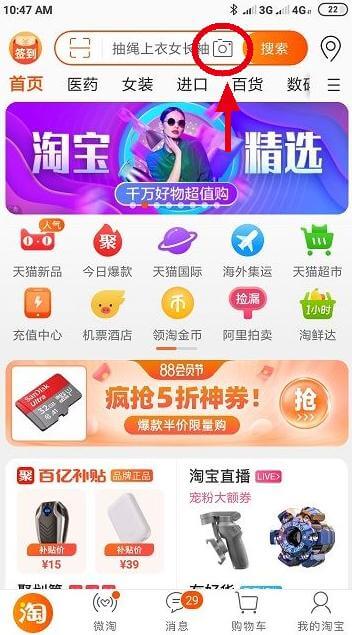
TaoBao-image-search-Second-Step

Step 3: Take a Picture or Upload an Image from Your Album

Clicking on the camera icon will direct you to either take a picture using the camera on your mobile device or upload a picture from your albums. 
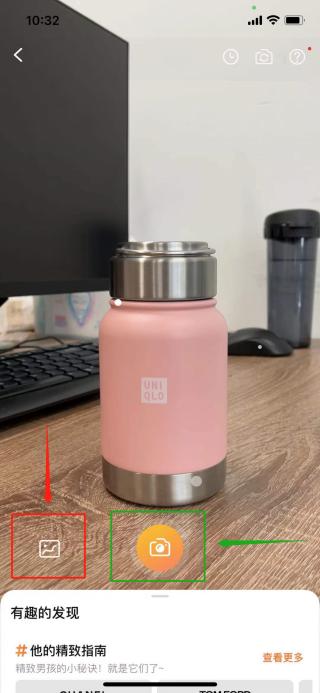
TaoBao-image-search-Third-Step

Tip: ensure that the item you would like to search for is clearly visible in the picture that you choose. 

Upload the picture and click on the orange part of the search bar to initiate the search. 

Step 4: Compare Image Search Results

When the search is complete, the app will list a variety of search results that match the image you uploaded. Go through them and compare them with your original image to see if you can find exactly what you need. 
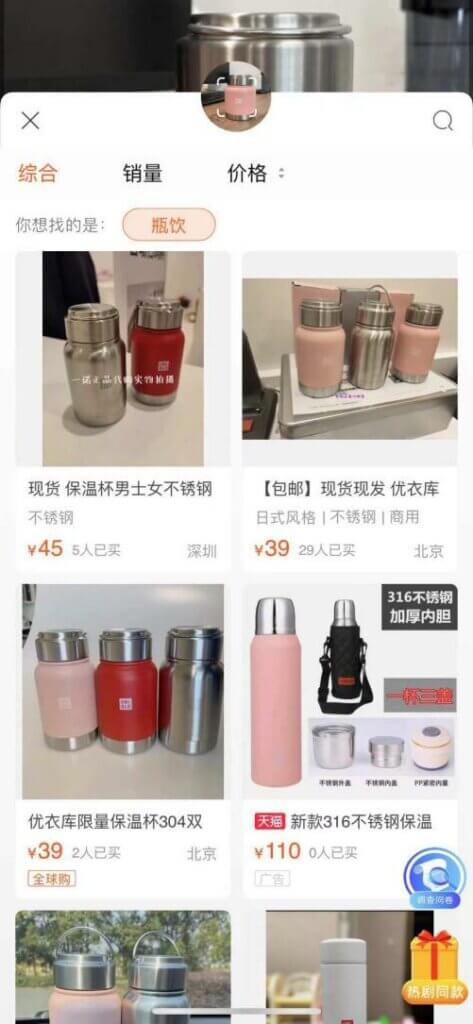
TaoBao-image-search-Fourth-Step
CHAPTER 02

Frequently Asked Questions:

Q: How Do I Use Taobao Image Search on PC?

Unfortunately, it is no longer possible to run an image search on Taobao using a PC. Taobao discontinued the function in July 2021. We will, however, let you know if they reinstate it in the future. 

Q. What Other Options Can I Use If I Can Not Find What I Need Using Image Search on Taobao?

If your image search results are not satisfactory, consider using keywords to search for the product you are looking for. However, if both image and keyword searches do not meet your needs, it is advisable to consult a Taobao agent.

Taobao agents, like Bestfulfill, are more familiar with how different products are usually listed on the platform. We would, therefore, be better placed to find what you need just based on your description of the product or a picture. 

Furthermore, we can help you find the right suppliers, handle the purchase processes, and even coordinate shipping on your behalf. 

CHAPTER 03

Final Word

The image search option on Taobao is not only a unique provision but it also makes e-commerce more accessible by being compatible with mobile devices. It is equally very convenient if you do not speak Chinese which is the primary language used on the Taobao App. 

In a nutshell, if you have been wondering how to begin shopping on Taobao, this would be a great search method to start with. 

On the other hand, if the product options and search results seem overwhelming, we would be happy to find you what you need. We are a professional dropshipping company that is well-experienced in sourcing products from Taobao. We also offer other comprehensive services such as custom packaging, branding, and shipping. 

Simply reach out to us with your product sourcing requirements and we will get back to you with a quote. 

Recommended Articles

Best Dropshipping Fulfillment Partners for Shopify Stores in 2026

Best Dropshipping Fulfillment Partners for Shopify Stores in 2026

Choosing a dropshipping fulfillment partner for Shopify involves more than finding products to sell. The right provider also needs to support reliable order processing, product quality, shipping, and your store's growth plans. Some platforms focus on product discovery and automated dropshipping. Others provide deeper sourcing, quality control, branded packaging, and inventory management. This guide compares five Shopify dropshipping fulfillment partners—Bestfulfill, CJdropshipping, Zendrop, HyperSKU, and Spocket—based on their operating models, strengths, and suitability for different businesses.

November 12, 2026Read More
Private Label Fulfillment for Growing Ecommerce Brands: What You Need to Know

Private Label Fulfillment for Growing Ecommerce Brands: What You Need to Know

Launching a private-label product is one thing. Delivering a consistent branded experience across every order is another. As ecommerce brands grow, coordinating product quality, custom packaging, inventory, and international shipping becomes increasingly important. Even when products are ready, packaging errors or inventory delays can disrupt fulfillment. For Shopify sellers and growing DTC brands, choosing the right private label fulfillment partner is about more than finding a warehouse. It's about maintaining control over the details that define the brand.

November 12, 2026Read More
China Fulfillment Center vs Sourcing Agent: Which Does Your Ecommerce Business Need?

China Fulfillment Center vs Sourcing Agent: Which Does Your Ecommerce Business Need?

Sourcing products from China and delivering them to customers are two different challenges. One involves finding suppliers, managing production, and checking product quality. The other involves storing inventory, processing orders, and shipping products internationally. For growing ecommerce brands, the challenge is often connecting these activities without creating unnecessary delays or operational complexity. So, should you work with a China sourcing agent, a fulfillment center, or a provider that handles both?

November 12, 2026Read More

Comments (0)

Leave a Comment

Install our shopify app now